

Choosing an AI video generator requires looking past the word "free" to understand actual limits, watermarks, credit allocations, and commercial use restrictions. Because platforms handle generation credits, resolution caps, and exporting differently, finding the right tool depends entirely on whether you need quick social clips, faceless YouTube automation, or professional cinematic outputs.
What "Free" Actually Means in AI Video Tools
Navigating the landscape of AI video creation tools means understanding three distinct access models:
Real Free: Accessible without payment, though outputs may carry a watermark, face resolution caps, or carry strict limitations on commercial usage.
Freemium: Operates on daily or monthly credit systems. Basic generations are free, but high-resolution 4K exports, longer duration limits, and faster rendering queues require a paid subscription.
Credits: Every video generation consumes a specific amount of server compute credits. Complex tasks like text-to-video rendering, image-to-video motion, or audio synchronization drain these quotas rapidly.
Best Real-Free AI Video Tools
These platforms offer functional free tiers or daily credit resets that let you generate usable clips without an upfront subscription.
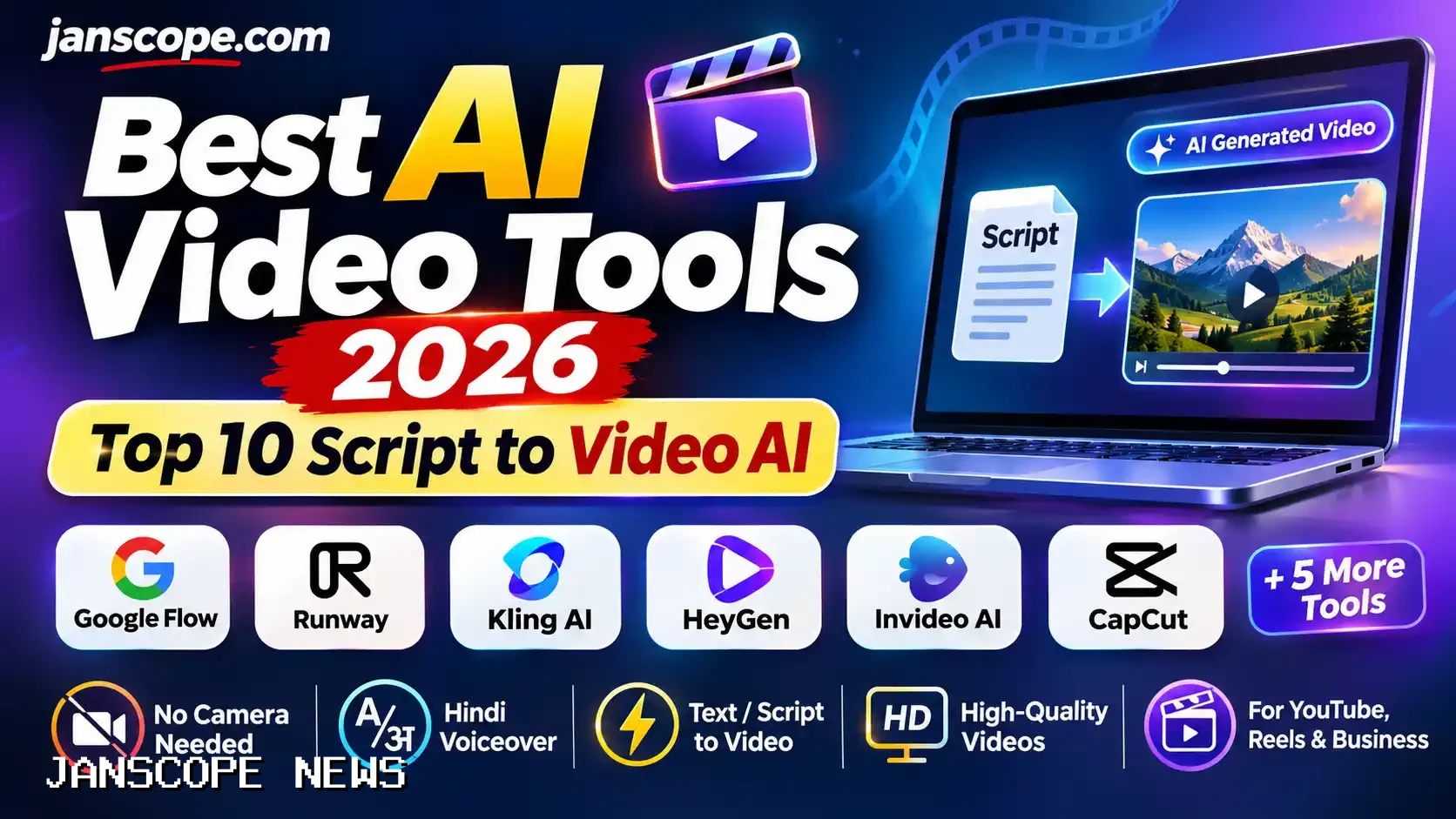
Google Flow / Veo: Best for cinematic short clips and integrated audio generation, offering daily credits equivalent to a handful of Lite clips depending on regional availability.
Dreamina / CapCut AI: Ideal for image-to-video workflows and dynamic scene creation, providing daily refreshing credits.
Kling AI: Known for realistic human motion and image-to-video translation, offering daily login credits with watermarked free exports.
PixVerse: Tailored for rapid social clips and stylistic effects, featuring daily allotments and exports up to 540p on free tiers.
Hailuo AI / MiniMax: Excellent for quick image-to-video testing via promotional or daily welcome credits.
Pika: Focuses on creative visual effects, though monthly free generation quotas can be restrictive.
Vidu: Specializes in anime and stylized video clips through a daily login credit system.
Viggle: Perfect for character motion transfer and dance video generation using daily free quotas.
Wan / Tongyi Wanxiang: Offers an open-source pathway with daily check-in credits, or unlimited local generation if run independently on dedicated hardware.
Leonardo AI: Provides daily token allocations suited for image-to-video motion features.
Adobe Firefly: Delivers commercially safer generative video clips within daily free limits.
Google Vids: Geared toward workplace explainers, offering standard generation limits for personal accounts.
YouTube Shorts / Gemini Omni: Built directly into mobile creation tools for short vertical outputs in supported regions.
Bing Video Creator: Provides mobile-friendly quick clip generation backed by daily fast passes.
Canva AI Video: Integrates generative features directly into standard template designs and presentation workflows.
Krea AI: Browser-based generator offering daily compute allowances without native watermarks on base outputs.
Qwen Chat: Experimental text-to-video interface with internal access limits.
Meta AI: Casual short-form video generation integrated into social platforms.
Google Photos AI video: Automatic personal compilation tools for everyday memories.
Vidnoz: Focused on talking avatar generation with daily free quotas.
Best Freemium AI Video Generators
Platforms in this tier require paid plans for serious production, but offer trials or restricted free tiers to test features.
Runway: The industry standard for professional-grade control, video editing suites, and generative video features.
Luma Dream Machine: Delivers exceptionally smooth cinematic camera motion and physics simulation.
HeyGen: The leading choice for talking-head avatars, multilingual video translation, and spokesperson ads.
Synthesia: Built primarily for corporate training videos, localized announcements, and scalable customer service avatars.
Descript: Combines text-based video editing with transcription and AI voice cloning.
VEED.io: Browser-based editor equipped with automated subtitles and AI enhancement tools.
InVideo AI: Converts raw scripts or text prompts directly into fully edited YouTube videos with stock footage and voiceovers.
Fliki: Specializes in text-to-video conversion paired with hyper-realistic text-to-speech voiceovers.
Pictory: Designed specifically to transform long-form blogs and articles into engaging social media video summaries.
Lumen5: Automated story builder that turns text content into marketing clips.
Opus Clip: Repurposes long-form podcasts and webinars into viral Shorts, Reels, and TikToks.
Vizard: Streamlines video clipping and repurposing workflows for creators.
Kapwing: Collaborative browser editor with integrated AI smart tools.
Clipchamp: User-friendly Windows-native editor with accessible AI features.
CapCut: The most popular cross-platform editor for mobile and desktop social media content.
DaVinci Resolve: Professional color grading and NLE suite with robust built-in neural engine tools.
Filmora: Feature-rich editor tailored for creators looking for accessible AI generation modules.
Adobe Premiere Pro + Firefly: Professional enterprise editing paired with integrated Firefly generative fills and extensions.
Topaz Video AI: Standalone software designed to upscale resolution and interpolate frame rates on legacy footage.
HitFilm: Hybrid video editor and visual effects suite.
Best Paid / Pro AI Video Tools
For creators, agencies, and enterprises requiring maximum fidelity, strict licensing, and unthrottled generation speeds, dedicated professional tools lead the market.
Google Veo (via Flow): Delivers studio-grade cinematic resolution, advanced prompt adherence, and synchronized audio tracks.
Sora: OpenAI's high-end video model known for extended physical consistency and complex scene generation.
Runway Gen-4: Offers granular director-style camera controls, motion brushes, and professional timeline integration.
Kling Pro: Unlocks high-res exports and priority generation queues for hyper-realistic motion.
Hailuo / MiniMax Pro: High-speed rendering engine optimized for detailed image-to-video conversions.
Luma Ray: Professional tier focused on complex camera moves and cinematic lighting control.
Pika Pro: Advanced styling controls for commercial short-form animations and ads.
Seedance / Dreamina Pro: Delivers high-definition short scenes designed for conceptual storyboarding.
LTX Studio: An end-to-end platform covering scriptwriting, storyboarding, generation, and timeline editing.
Synthesia Pro & HeyGen Pro: Enterprise suites offering custom avatar creation, ultra-realistic voice cloning, and bulk localization workflows.
Which Tool Should You Use?
Different platforms serve distinct production needs. Selecting the right option depends on your specific output format:
| Use Case | Recommended Starting Tools |
|---|---|
| Reels / Shorts / TikTok | Google Flow, Kling AI, PixVerse, CapCut |
| YouTube Long-Form | InVideo AI, Pictory, Descript, DaVinci Resolve |
| Product Ads & Promos | Runway, HeyGen, Synthesia, Canva |
| AI Avatars & Spokespersons | HeyGen, Synthesia, Vidnoz |
| Image-to-Video Motion | Kling, Dreamina, Hailuo, Luma |
| Cinematic B-Roll | Google Flow, Luma Dream Machine, Runway |
| Commercial-Safe Work | Adobe Firefly, paid tiers of Runway and Kling |
Frequently Asked Questions
Which AI video generator is truly free without watermarks?
Most free plans apply watermarks or limit resolution to 720p. Tools like Krea AI and certain open-source configurations (such as self-hosted Wan models) offer watermark-free generation, though they require either daily credit resets or local GPU hardware.
Can I use AI-generated videos for commercial purposes?
Commercial usage rights depend entirely on your subscription tier. Free tiers on platforms like Kling, PixVerse, and Runway generally restrict outputs to personal use. Paid professional plans provide the necessary commercial licenses.
What is the best AI video generator for Hindi content?
Tools with strong multilingual support and localized text-to-speech engines—such as HeyGen, InVideo AI, and Kling AI—handle Hindi prompts and voice generation effectively. Google Flow and CapCut are also practical for regional social media creation.
How do text-to-video tools handle video length?
Most generative AI video models output clips between 4 to 10 seconds per generation. To build longer videos, creators stitch multiple clips together using timeline editors like CapCut, DaVinci Resolve, or Adobe Premiere Pro.
Do I need a powerful computer to run AI video generators?
Web-based platforms like Runway, Kling, and HeyGen run entirely in the cloud, meaning your local computer only needs a standard web browser and an internet connection. Only local open-source models require dedicated high-end GPUs.
No comments yet — be the first to share your thoughts!