
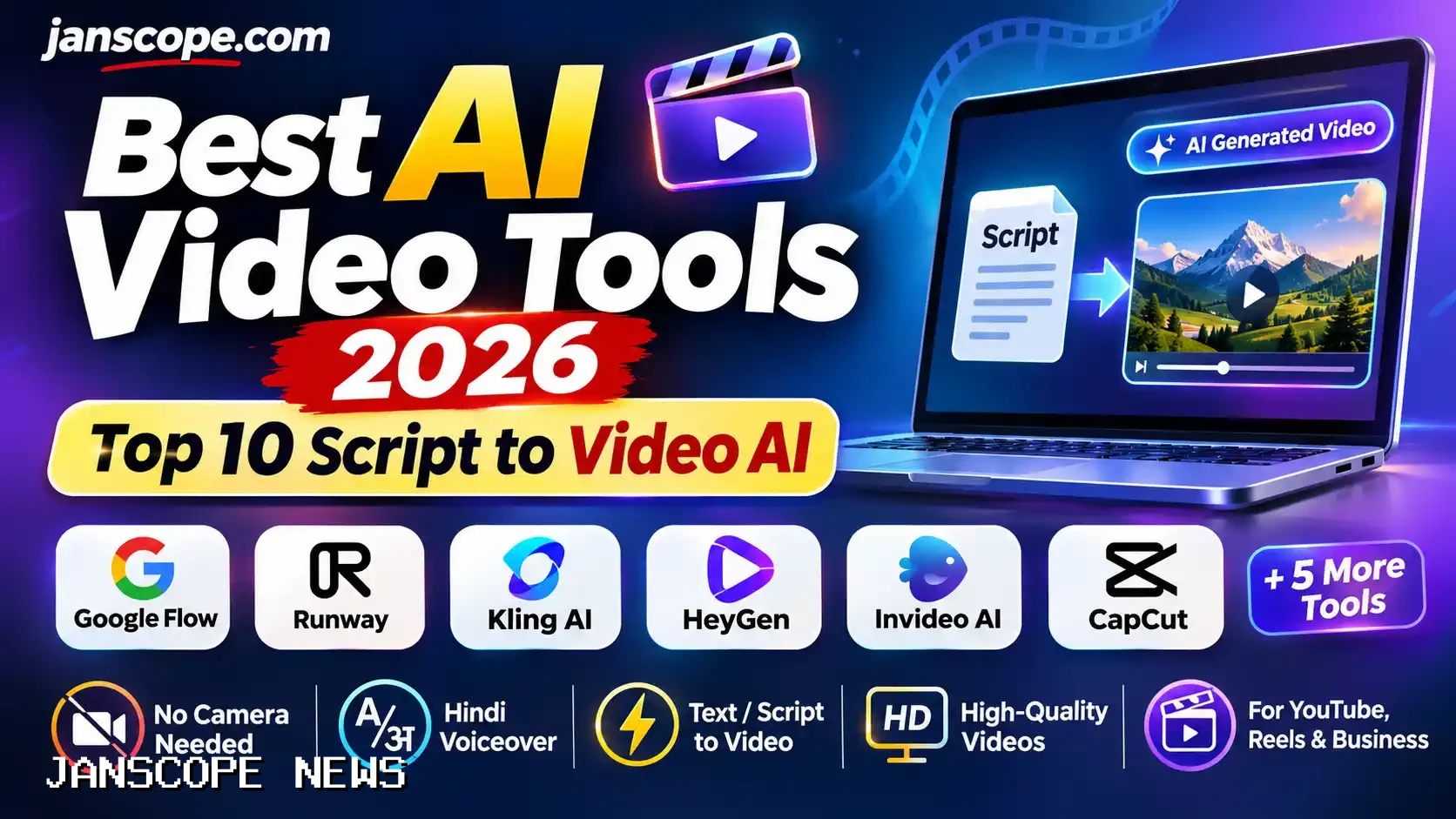
The best AI video tools in 2026 depend on how you produce content rather than a single universal winner. For turning full scripts into ready-to-publish videos, InVideo AI and Pictory handle pacing, stock visuals, and voiceovers fastest. For realistic camera motion and cinematic scenes, Google Flow, Runway, and Kling AI lead the field.
Most creators waste money on annual subscriptions because they confuse three completely different categories of software. A text-to-video generator builds raw visual clips from scratch, an avatar platform puts a digital presenter on screen, and a smart editor assembles your written script into scenes with captions. Buying a cinematic clip generator when you actually need a 10-minute YouTube explainer will leave you stuck stitching five-second clips together manually.
How the three types of AI video generator actually differ
Every modern AI video maker falls into one of three workflows, and each solves a separate production bottleneck.
Text-to-video AI tools take a written scene description or a reference image and synthesize new pixels frame by frame. Filmmakers and ad agencies rely on them for visual hooks, B-roll, and stylized shots that would otherwise require a camera crew. They rarely handle full-length spoken narration well on their own.
AI avatar platforms replace the person in front of the lens. You paste a script, pick a synthetic presenter, select a language, and the software generates lip-synced speech with natural head movement. Corporate trainers, course creators, and news channels use them to publish daily updates without setting up lighting or microphones.
AI video editing tools act like automated post-production assistants. Instead of inventing visuals from thin air, they read your script or blog post, match sentences to licensed footage or existing recordings, drop in background music, and generate timed subtitles.
Top 10 best AI video tools for creators and teams in 2026
Choosing the right platform comes down to matching your daily publishing format against what each engine builds best. Here is how the ten leading platforms perform in real production workflows.
1. InVideo AI for turning raw scripts into full videos
If your main bottleneck is turning a written topic or article into a complete YouTube upload, InVideo AI removes almost all timeline work. You paste your script or type a prompt, and the system writes scenes, pulls matching stock clips, adds background music, and lays down an AI voiceover.
You can adjust individual scenes using plain text commands rather than dragging tracks around. It works especially well for faceless channels, news explainers, and social media managers who publish several times a week.
2. Google Flow for cinematic scenes and filmmaker control
Built around Google's Veo video models, Google Flow operates more like a virtual film studio than a quick social clip maker. You can generate footage from text prompts, animate still images, and use reference assets to keep the same character or visual environment consistent across multiple shots.
The interface gives you direct control over camera movement and scene extensions. Independent filmmakers and commercial directors get the most value here when visual continuity matters more than fast turnaround.
3. HeyGen for digital presenters and multilingual lip-sync
When you need a human face delivering a script without stepping in front of a camera, HeyGen sets the standard for realistic lip movement and vocal cadence. You can choose from a library of studio avatars or clone your own voice and likeness for recurring episodes.
Its video translation engine also re-syncs mouth movements when dubbing an existing recording into another language. Educators, founders, and regional marketers rely on it to localize training and product announcements quickly.
4. Kling AI for realistic motion and multi-shot sequences
Kling AI stands out for physical realism, especially when prompts involve human movement, fabric, or complex camera pans. It accepts both text instructions and starting images, allowing creators to build multi-shot sequences that feel grounded rather than floaty.
Short-form creators on Instagram and commercial editors often use it to generate high-impact product shots or dramatic opening hooks that hold viewer attention in the first three seconds.
5. Runway for commercial visual effects and video transformation
Runway combines text-to-video and image-to-video generation with deep post-production editing tools. Beyond generating fresh clips, you can restyle existing footage, remove unwanted objects, and direct camera trajectories with granular precision.
Creative agencies and seasoned editors prefer it because it fits alongside traditional editing suites instead of forcing a rigid template workflow.
6. Pictory for converting blog posts and long scripts
Pictory focuses squarely on written content repurposing. You can drop in a published article URL or a structured script, and the software summarizes key points, pairs them with stock video clips, adds narration, and formats captions automatically.
Content marketers and educational publishers use it to turn written guides into digestible video summaries without hiring an outside editor.
7. CapCut for fast vertical reels and mobile-first editing
For creators publishing daily Shorts and Reels, CapCut packs practical AI utilities directly into a fast timeline editor. Its auto-caption generator, background remover, text-to-speech voices, and trending templates cut repetitive trimming down to minutes.
Beginners and solo social media creators benefit most because you can handle rough assembly and final color or audio polish inside one app.
8. Synthesia for corporate training and internal presentations
Synthesia targets enterprise teams that need standardized training modules, onboarding videos, and internal briefings. You build slides, paste speaker notes, and assign an AI avatar to present each section across dozens of languages.
HR departments and global operations teams favor it because updating an outdated policy video only requires editing a few lines of text rather than booking a reshoot.
9. Descript for podcast and talking-head editing via text
Descript flips traditional video editing upside down by transcribing your recording into a text document. Deleting a sentence or cutting out filler words in the transcript automatically trims the corresponding video and audio tracks.
Podcasters, interview channels, and screen-recording educators save hours every week because fixing pacing mistakes feels like editing a word processor file.
10. Pika for stylized animation and creative effects
Pika leans into playful visual transformations, stylized animation, and rapid creative effects. You can feed it a prompt or an image to generate eye-catching transitions, surreal visual twists, or animated social clips.
Social media creators looking for experimental aesthetics rather than strict photorealism find it fast and easy to test ideas on.
Quick comparison of the top AI video platforms
| Tool name | Primary strength | Core workflow category | Best suited audience |
|---|---|---|---|
| InVideo AI | Full script to video assembly | AI video editing tool | YouTube creators and news publishers |
| Google Flow | Cinematic scene consistency | Text to video AI | Filmmakers and ad directors |
| HeyGen | Realistic avatars and lip-sync | AI avatar generator | Educators and business marketers |
| Kling AI | Lifelike human and camera motion | Text to video AI | Reels creators and advertisers |
| Runway | Generative clips plus VFX control | Text to video AI | Creative agencies and video editors |
| Pictory | Blog and article repurposing | AI video editing tool | Bloggers and content marketers |
| CapCut | Auto-captions and vertical cuts | AI video editing tool | Instagram and Shorts creators |
| Synthesia | Multilingual training decks | AI avatar generator | HR teams and corporate trainers |
| Descript | Transcript-based audio and video cuts | AI video editing tool | Podcasters and interview channels |
| Pika | Stylized animation and effects | Text to video AI | Short-form creative accounts |
Which Hindi AI video generator works best for Indian creators?
Producing regional content in India requires checking four separate capabilities: natural Hindi voice synthesis, accurate Hindi script understanding, Devanagari or Hinglish caption rendering, and proper lip-sync. Most platforms support one or two of these well while stumbling on the others.
HeyGen handles Hindi avatar presentation and video dubbing with strong lip alignment, making it reliable for educational explainers and business announcements. InVideo AI works well when you feed it a structured Hindi script and want automated background footage paired with regional voiceovers.
For fast Reels and Shorts, CapCut remains practical for generating Hindi captions and basic text-to-speech tracks, though you should always proofread auto-generated Devanagari spelling before exporting. Synthesia also supports Hindi presenter scripts for corporate training decks. Never assume that a tool supporting Hindi voiceovers will automatically understand complex Hindi prompts when generating visual scenes.
Seven things to verify before paying for a subscription
Credit systems and export restrictions vary wildly across AI video platforms, and annual plans rarely offer refunds once you generate a few test clips. Check these seven details on a free tier or single-month plan first.
Test how natural the voice sounds on longer sentences, especially if you need a Hindi AI video generator rather than standard American English.
Confirm whether the entry-level paid tier unlocks clean 1080p or 4K exports, since many starter plans cap resolution at 720p.
Check if free AI video tools or trial accounts stamp a visible watermark across your footage.
Calculate how many credits a single 60-second video actually consumes, including failed regenerations when a prompt misses the mark.
Read the commercial usage terms to verify you can monetize outputs on YouTube and run paid client ads without licensing disputes.
Make sure you can manually swap individual stock clips, tweak caption timing, and lower background music volume after the initial draft builds.
Test character consistency across three or four consecutive prompts if you plan to tell a continuous story.
Step-by-step workflow to turn a script into a finished video
Even the smartest script to video AI produces generic results if you feed it vague instructions. Following a structured six-step process keeps pacing tight and prevents awkward visual mismatches.
Write a tight script broken into short, two-sentence paragraphs so the software knows exactly where to cut between visual scenes.
Pick the specific platform built for your format, such as InVideo AI for narrated explainers, HeyGen for presenter videos, or Google Flow for cinematic B-roll.
Paste your script into the editor or enter scene-by-scene visual prompts with clear camera framing notes.
Select a voiceover style, avatar, and subtle background music track that sits well below spoken dialogue.
Review the auto-selected visuals and replace any generic stock clips that clash with what the narrator is saying.
Preview the full timeline at normal speed to catch mispronounced names, awkward cuts, or caption typos before rendering your final file.
Frequently asked questions about AI video tools
Which is the best free AI video generator without a watermark?
Most commercial platforms restrict watermark-free exports to paid subscriptions, offering free plans mainly to test prompt accuracy and interface speed. CapCut provides generous free timeline editing and auto-captions without watermarks on standard features, while generative platforms like Kling AI, Runway, and Pika give limited trial credits that either carry a corner badge or cap monthly renders.
Can you monetize AI-generated videos on YouTube in 2026?
Yes, YouTube allows creators to monetize videos made with AI tools, provided the upload complies with YouTube's Partner Program originality and reused content policies. Channels that simply paste raw unedited AI voiceovers over repetitive stock clips risk demonetization, whereas videos with original scripting, meaningful human editing, and clear viewer value remain eligible.
What is the difference between script to video AI and text to video AI?
Script to video AI tools like InVideo AI and Pictory take a full spoken narrative, break it into segments, and assemble stock footage, voiceovers, and captions into a complete timeline. Text to video AI models like Google Flow, Runway, and Kling AI generate brand-new moving imagery from a visual description, usually producing short clips between five and ten seconds long.
How much do professional AI video makers typically cost per month?
Entry-level creator plans across platforms like InVideo AI, HeyGen, Runway, and Pictory generally start between $15 and $30 per month when billed annually, or higher on month-to-month billing. Heavy production tiers with faster rendering, 4K exports, and larger generation credit pools typically range from $50 to $100+ monthly depending on video volume.
Do I need video editing experience to use an AI video maker?
You do not need traditional timeline editing skills to assemble a basic video with tools like Pictory, HeyGen, or Descript. However, knowing basic pacing, audio leveling, and how to trim dead air will make your final export look far cleaner than accepting the software's first automated draft.
Which AI tool is best for turning a blog article into a YouTube video?
Pictory and InVideo AI are built specifically for converting written articles into narrated videos. Both platforms extract key takeaways from your text, match sentences with relevant background clips, and generate synchronized subtitles so you can repurpose written posts into visual formats quickly.
How do I keep the same character across multiple AI video scenes?
Platforms like Google Flow and Kling AI offer reference-image and character-consistency controls where you upload a base portrait or style frame before generating new shots. In avatar tools like HeyGen and Synthesia, consistency is automatic because you select the same digital presenter across every slide or scene.
Are AI-generated videos safe from copyright claims?
Paid plans on major platforms generally grant commercial usage rights for the visuals and stock media assembled inside their editors, though copyright law around purely AI-generated imagery varies by country. Always check that any background music track pulled from an automated library is cleared for YouTube Content ID before publishing.

No comments yet — be the first to share your thoughts!