
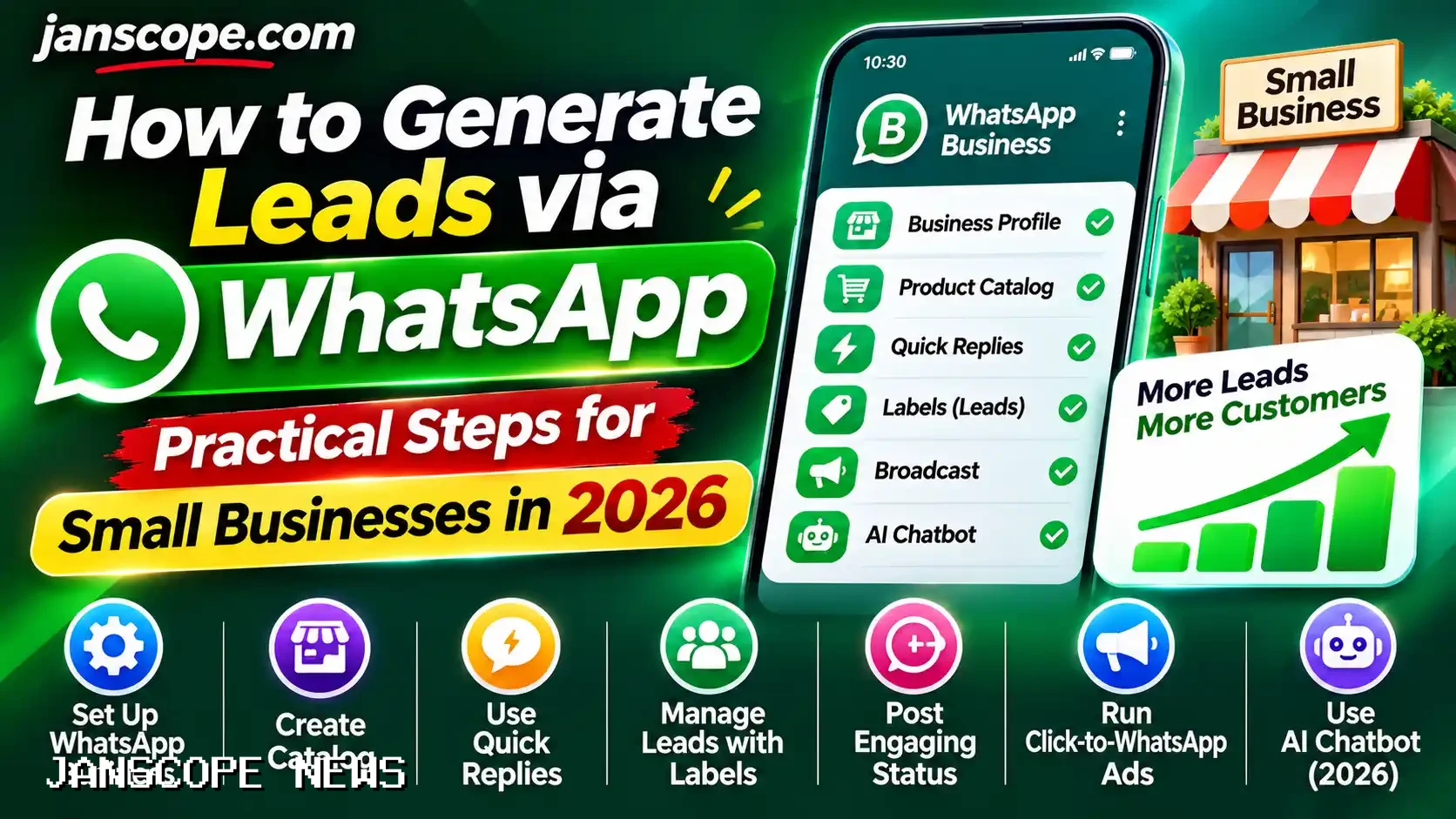
You get results by turning profile visitors, ad clicks, and website chats into real conversations instead of sending people to slow forms. Start with a complete WhatsApp Business profile, add clear entry points like wa.me links and Click-to-WhatsApp ads, qualify buyers fast, and follow up only with permission.
A Kantar study cited by Meta in May 2026 found that 91% of online adults in India chat with a business every week. That habit changes the math for small shops, clinics, agencies, and local service teams. People already check WhatsApp all day, so a short back-and-forth chat often beats a long web form that visitors abandon.
Still, putting your phone number on a poster or Instagram bio won't fill your pipeline by itself. Without a clear offer, fast first replies, and a simple way to track who is ready to buy, chats pile up and go cold.
Why chat beats forms for small business lead generation
Static forms ask strangers to type their name, email, and phone number before getting a single useful answer. On WhatsApp, a buyer can tap a button, ask one direct question, and see your reply in the same thread.
In a November 2024 Meta experiment across 116,000 campaigns and 43,000 businesses, Click-to-WhatsApp ads optimizing for leads cut cost per lead by 24% on average compared to campaigns optimizing for conversations (outside regions like the EU, UK, Japan, and South Korea). Lower cost per lead helps when ad budgets are tight, though raw message counts don't pay the bills. Ten serious buyers who ask about pricing or delivery beat a hundred one-word "hi" messages that never reply again.
How to set up WhatsApp Business for leads step by step
Before you launch ads or share links, get your foundation ready. You need a dedicated business phone number (or a number you are ready to use for business), your logo, product or service photos, starting prices or packages, and a short list of your top five customer questions. Setting up the basics takes about 30 to 45 minutes.
Step 1: Install the app and build a complete business profile
Download the WhatsApp Business app on Android or iOS and register your business number. Fill out your business name, category, address, hours, website URL, and a clear description of who you help.
Treat the profile like a quick landing page. If a stranger opens your chat at 10 PM, they should immediately see what you sell, where you operate, and when you're open.
Step 2: Add a catalog with clear pricing and visuals
Create a WhatsApp Catalog inside the app to show your main products or service tiers. Each item needs a unique title, a clean image, country of origin where required, and helpful details like price, a short description, or a link.
Catalogs save you from digging through old photos during a chat. A local baker, print shop, or web studio can share one catalog item and let the buyer ask specific questions about size, turnaround time, or custom work.
Step 3: Save quick replies and greeting messages
Turn on greeting and away messages so new chats get an immediate response even when you're busy or offline. Then save up to 50 quick replies under Tools for answers you type every day, such as /price, /hours, /location, or /payment.
Type / in any chat box to pull up your saved shortcuts, tweak the wording so it fits the person you're talking to, and hit send. Keep in mind that media attachments in quick replies work on mobile rather than WhatsApp Web or Desktop, and deleted quick replies can't be recovered.
Step 4: Organize chats with labels and lists
Create labels (which WhatsApp has been rolling out as lists in many accounts) to sort leads by stage, such as New Enquiry, Quote Sent, Follow-Up, and Paid. WhatsApp Business lets you create up to 20 labels and apply more than one label to a chat.
Tagging chats keeps small teams from dropping warm leads. When you have fifteen open chats in a week, sorting by stage shows you who needs a nudge today and who is just browsing.
Step 5: Add click-to-chat links, QR codes, and status updates
Share your WhatsApp QR code on packaging, counter stands, and invoices, and place [https://wa.me/](https://wa.me/) links on your website's high-intent pages like pricing and contact. Add pre-filled text (?text=...) so visitors don't stare at a blank box.
Use WhatsApp Status a few times a week to mix proof and offers. Post before-and-after results, client feedback, short tips, and limited-time slots rather than pushing discounts every single day.
Running Click-to-WhatsApp ads without wasting budget
Organic links bring steady, low-cost enquiries, while Click-to-WhatsApp ads help you scale reach on Facebook and Instagram. According to Meta's Click-to-WhatsApp ads guide, you set up the campaign in Meta Ads Manager, choose Messaging Apps, pick WhatsApp, set your budget and audience, and customize your ad creative and opening prompt.
Meta notes that running a campaign for at least seven days and targeting a broad enough audience (such as 2M to 10M when feasible) helps delivery stabilize. For local businesses in a single city, keep location targeting tight so you don't pay for chats from people you can't serve. Also note that when someone messages you from a Click-to-WhatsApp ad or Facebook Page CTA button on the WhatsApp mobile app and you reply within 24 hours, Meta opens a free 72-hour messaging window for that chat.
Using WhatsApp Business AI and chatbots wisely
Manual replies work fine when you handle a handful of chats a day. Once questions come in late at night or during busy hours, slow replies cost deals.
In May 2026, Meta announced Business AI on WhatsApp for small businesses in India inside the WhatsApp Business app, supporting native Indian languages without coding or third-party tools for eligible accounts. As explained in the WhatsApp Help Center guide to Meta Business Agent, the AI can answer questions from your catalog, profile, and business details, recommend items, share pricing or shipping info, and hand off to you when a person steps in.
Before turning on AI, check the trade-offs in the official help docs. Enabling Meta Business Agent can affect features like broadcast lists, disappearing messages, or greeting and away messages, disconnects existing linked devices (with limits on re-linking certain desktop or tablet apps), and shares enabled chat data with Meta to improve AI. Third-party automation tools can also help growing teams, though you should test flows carefully and keep human handoff easy.
WhatsApp Business app vs. WhatsApp Business Platform (API)
Small businesses often ask when to move past the standard WhatsApp Business app to the WhatsApp Business Platform (commonly called the WhatsApp Business API). The right choice depends on team size, automation needs, and message volume.
WhatsApp Business App: Free to use on mobile, supports one phone plus up to four linked devices total, caps standard broadcast lists at 256 contacts (reaching only people who saved your number), and works well for solo owners or tiny teams.
WhatsApp Business Platform (API): Accessed through a Meta-approved provider or developer setup, priced by conversation/message rules rather than being free, built for multi-agent inboxes, CRM syncs, automated workflows, and larger-scale template messaging.
Meta also offers coexistence options that let eligible businesses connect a number to the Platform while keeping use of the WhatsApp Business app, subject to specific rules such as opening the app periodically and following platform limits. Don't rush into paid API software before your daily chat volume actually demands multi-agent routing or CRM automation.
Turning chats into paying customers and tracking ROI
Getting a message is step one; closing and measuring is what makes WhatsApp marketing profitable. Instead of dumping a price list on the first line, ask two or three quick qualifying questions: what they need, their rough budget, and when they want to start.
Follow up politely after a day or two if they go quiet, share relevant work or answers to objections, and know when to stop if someone isn't interested or opts out. Track cost per enquiry, qualified lead rate, reply speed, conversion rate, and cost per customer. For instance, if you spend ₹4,000 on ads and get 80 chats, 24 qualified leads, and 8 paying customers, your cost per qualified lead is ₹166.67 and your cost per customer is ₹500.
Mistakes and policy rules that get accounts restricted
The WhatsApp Business Messaging Policy expects businesses to give a clear, honest experience and respect user consent. Unsolicited bulk promotions, misleading claims, and ignoring opt-out requests lead to blocks, low quality ratings, or account restrictions.
Always collect opt-in before sending promotional broadcasts, explain what kinds of updates people will receive, and make opting out simple. Avoid shady third-party bulk senders that promise magic scraping or risk your number, and protect customer phone numbers and chat details.
Frequently asked questions about WhatsApp lead generation
Can you get WhatsApp leads for free without running ads?
Yes. You can generate organic leads using a complete WhatsApp Business profile, product or service catalog, wa.me links on your website or social profiles, QR codes offline, and regular WhatsApp Status updates.
What is the difference between WhatsApp and WhatsApp Business?
Regular WhatsApp is built for personal chats, while WhatsApp Business adds business profiles, catalogs, quick replies, greeting and away messages, labels/lists, and business messaging tools.
How many leads can you generate on WhatsApp each day?
There is no fixed daily guarantee because lead volume depends on your offer, niche, ad spend, organic traffic, and how fast you reply. Combining local SEO, social content, referrals, and well-targeted Click-to-WhatsApp ads produces steadier volume than relying on a single source.
Is WhatsApp Business free to use in 2026?
The WhatsApp Business app itself is free to download and use on supported phones. Costs apply when you run paid ads, use paid messaging features or WhatsApp Business Platform (API) services, or buy third-party software.
Do you need the WhatsApp Business API to start generating leads?
No. A solo owner or small team can start and capture leads using the WhatsApp Business app alone. The Platform becomes more useful when multiple agents need a shared inbox, CRM integration, or automated workflows at higher volume.
Why aren't people receiving my WhatsApp broadcast list messages?
Standard broadcast lists only deliver to contacts who have saved your business phone number in their address book, and each list has a 256-contact cap. Paid business broadcasts (where available) or opted-in WhatsApp Business Platform template campaigns work differently and follow Meta's rules and limits.
How does WhatsApp Business AI help capture and qualify leads?
Eligible accounts can use Business AI or AI agents to answer common questions 24/7 from your catalog and business info, suggest products or services, and collect basic buyer details before a human steps in. You still stay in control to review chats, jump in manually, or turn the feature off.
What is the best way to qualify a WhatsApp lead without sounding pushy?
Ask short, practical questions tied to helping them choose—such as which service or item caught their eye, their target timeline, and their budget range. Keep replies concise, share clear next steps like a booking link or quote, and respect their pace.
How can you track whether WhatsApp ads are actually profitable?
Don't stop at total message count or cost per message. Track how many chats become qualified leads, how many turn into orders or bookings, and your total cost per paying customer against your profit margin.


No comments yet — be the first to share your thoughts!